原神截帧分析(持续作案中…) 光阳果
TA = TalkArtist
目前
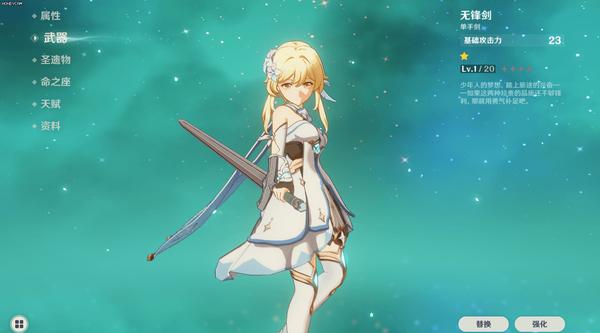
只整了角色渲染这部分。
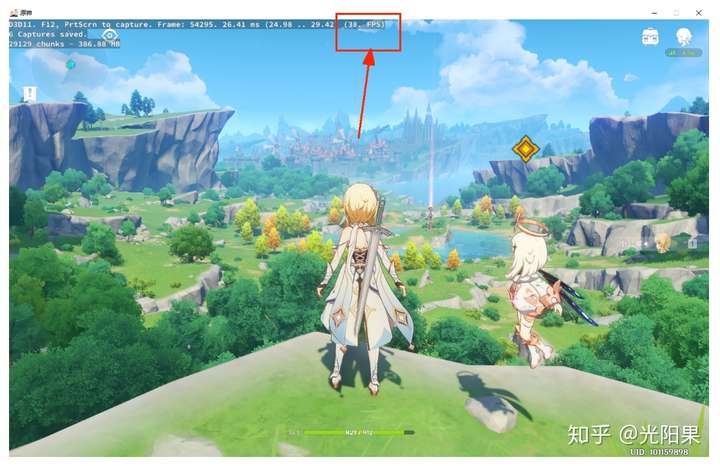
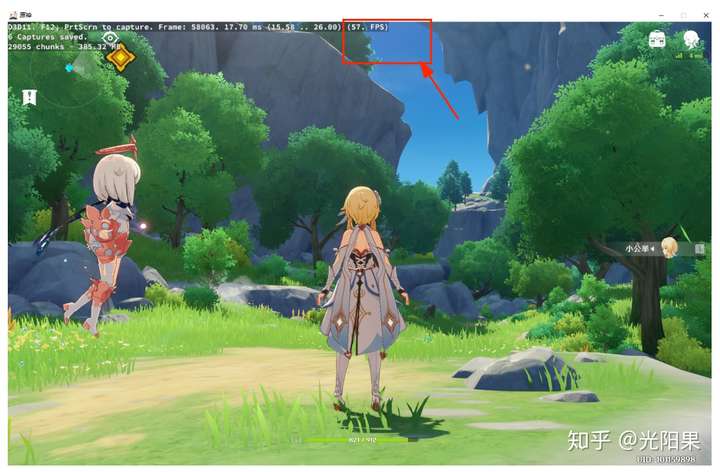
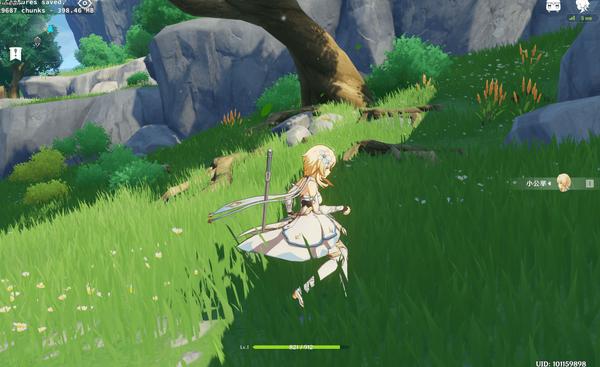
在PC上的大世界范围帧率明显下降。
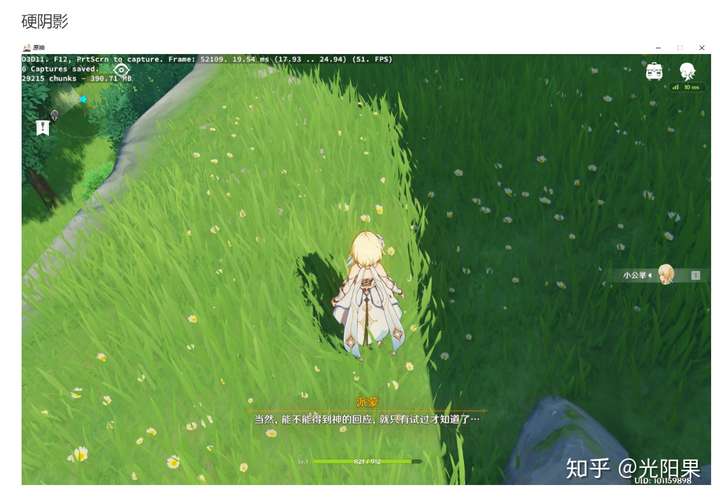
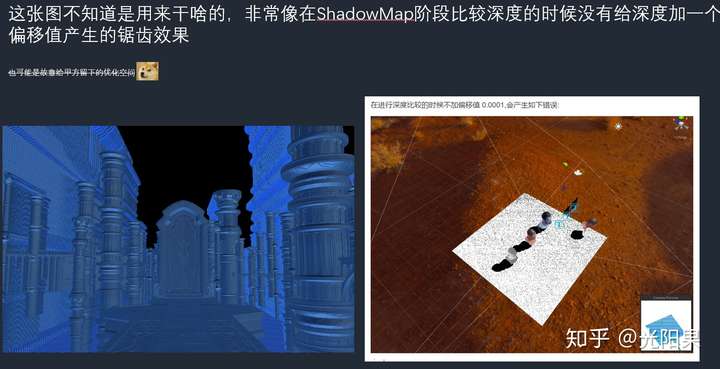
角色没有阴影,没有阴影的明暗过度
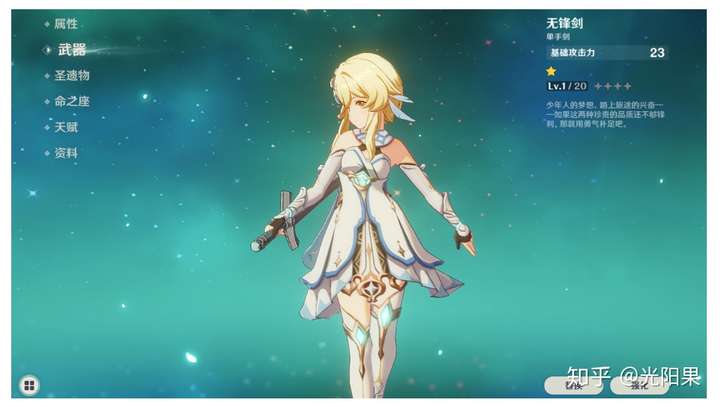
角色渲染
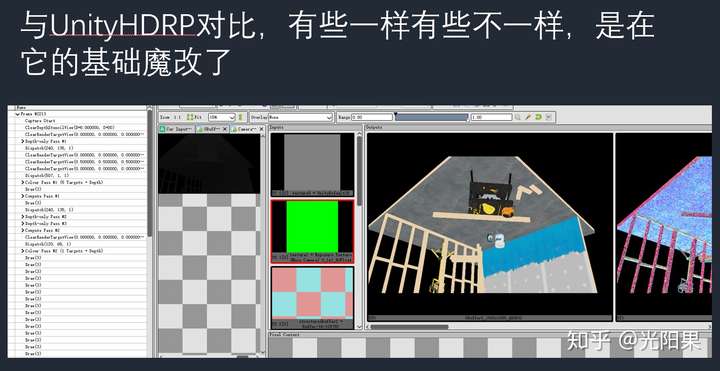
分析这张帧
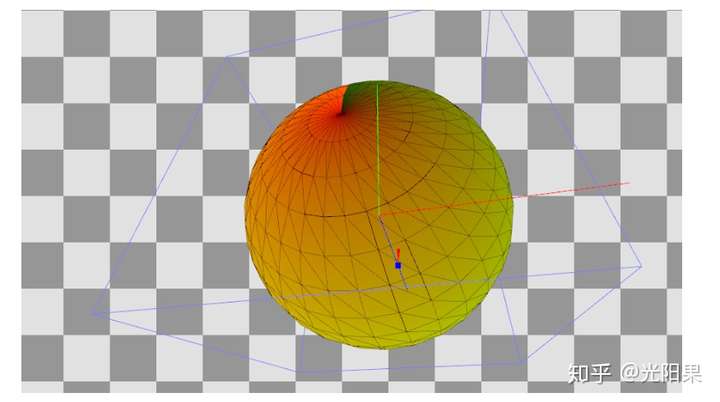
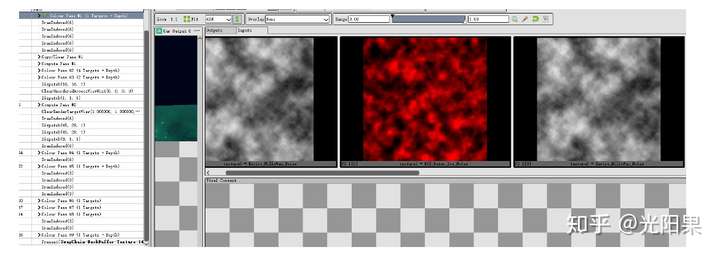
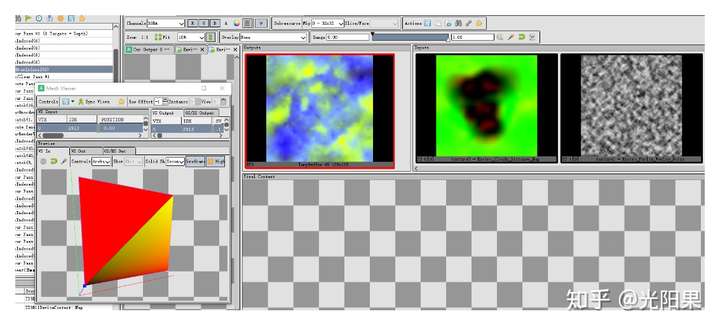
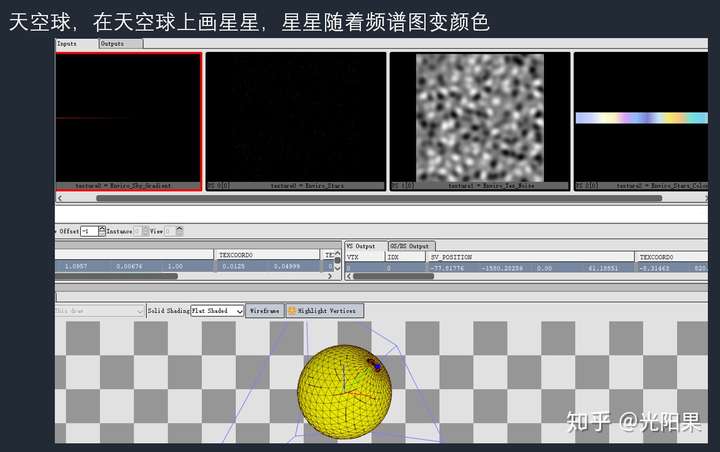
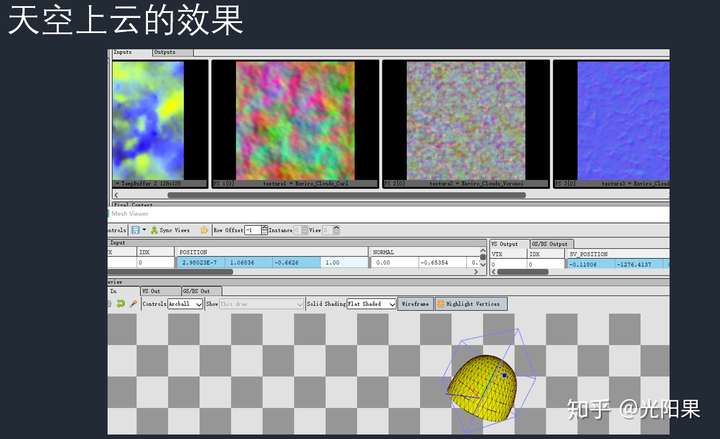
天空盒
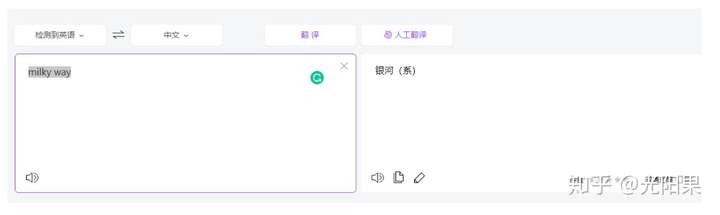
贴图中的命名MilkyWay
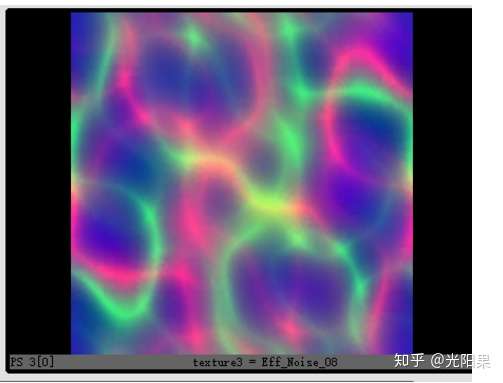
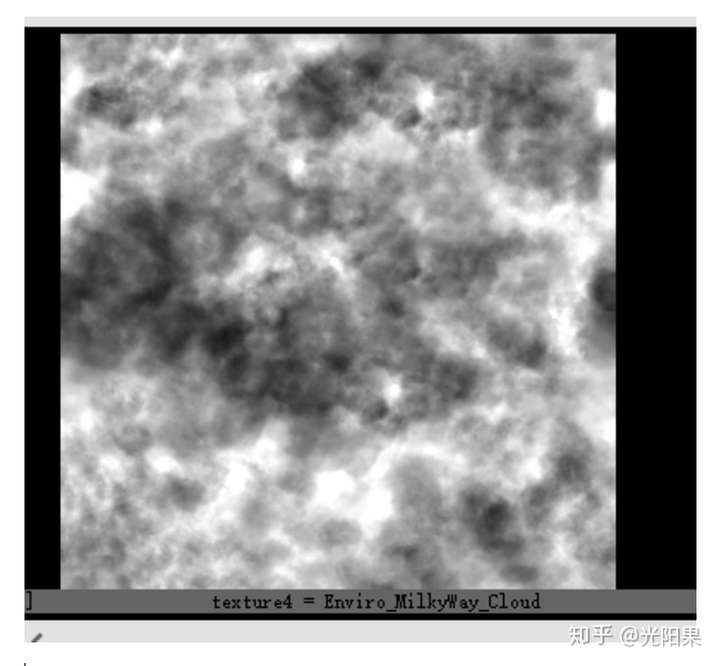
用几张Noise图做出天空球 模拟银河系
这张图用来模拟光线的扰动
这张图用来模拟云
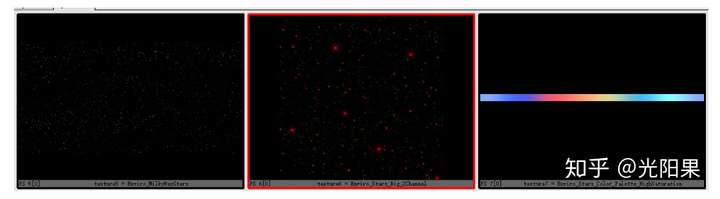
这三张图用来模拟银河中的星星
第一张图是固定的星星,第二张图是实时闪亮的星星,第三张图是星星闪烁随时间闪耀时的颜色lut图
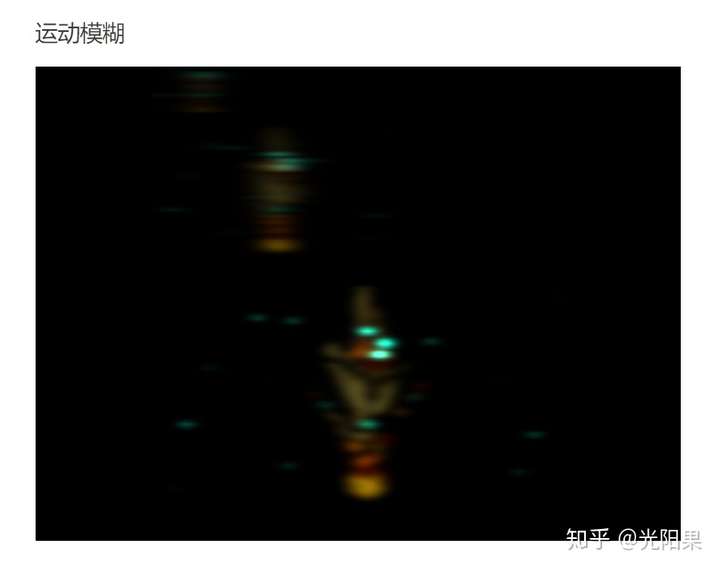
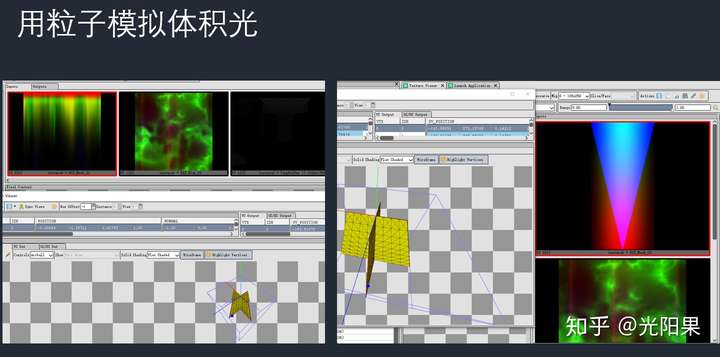
星星的动态变化
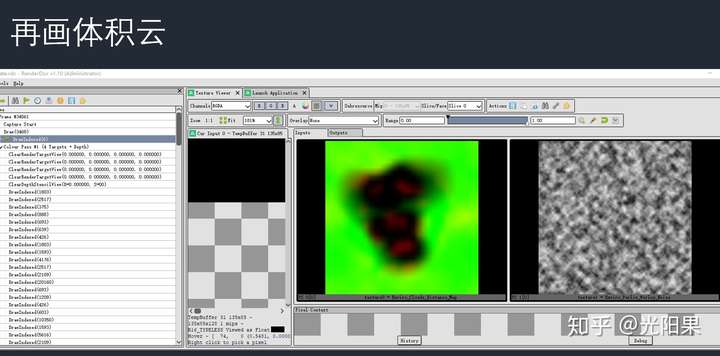
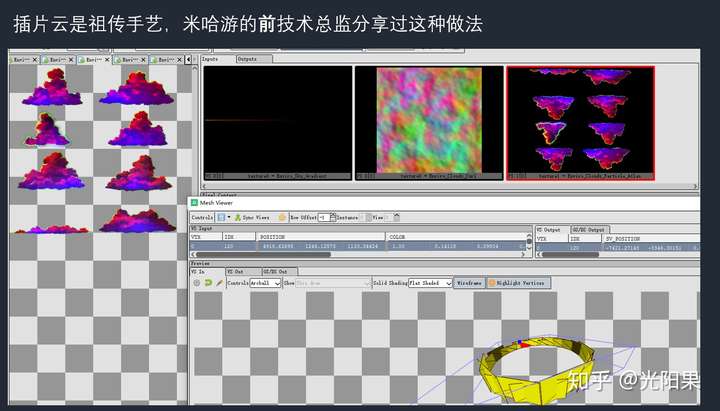
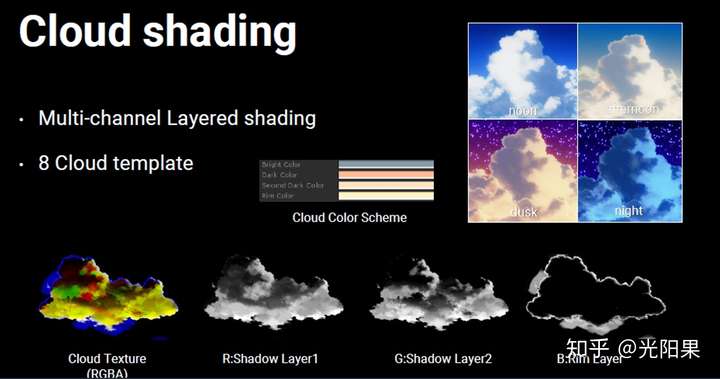
Mesh是一个方块,且有 Perlin_Worley,能推测出, 使用了Raymarching做体积云效果,
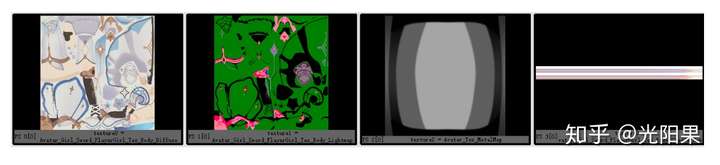
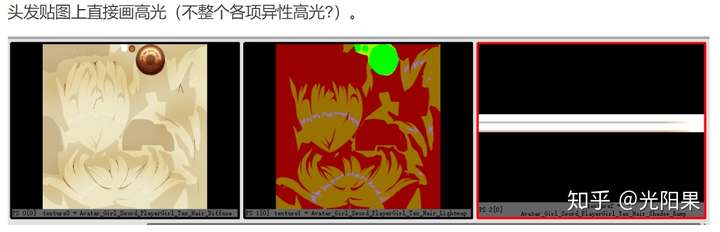
身体部分使用了:DiffuseMap LightMap MetalMap ShadowRamp
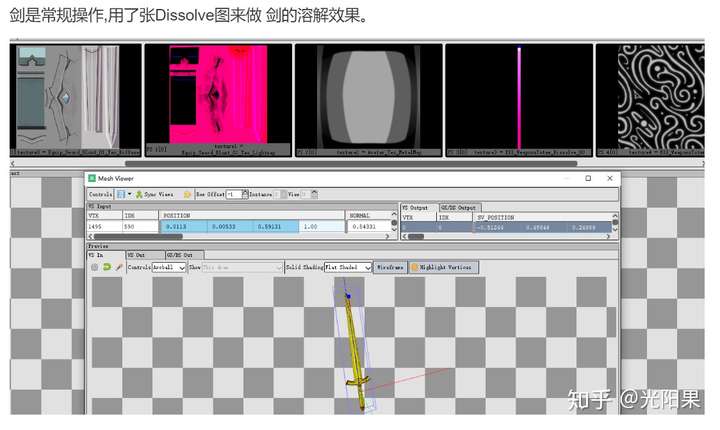
从MetalMap的命名来看,MetalMap不是身体的一部分,是剑的贴图
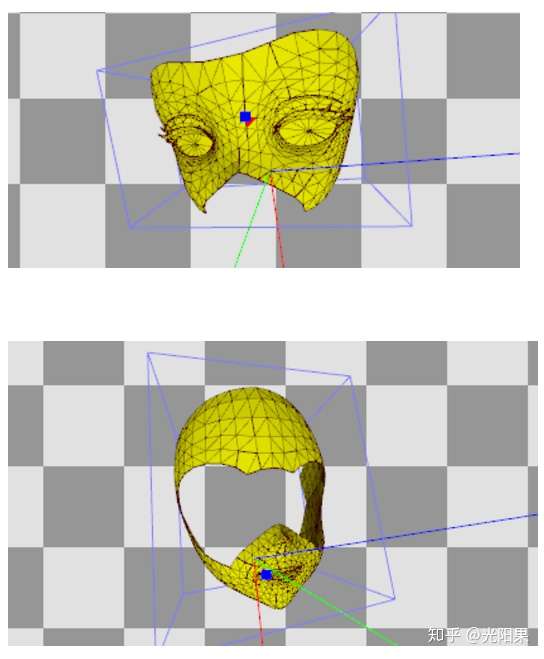
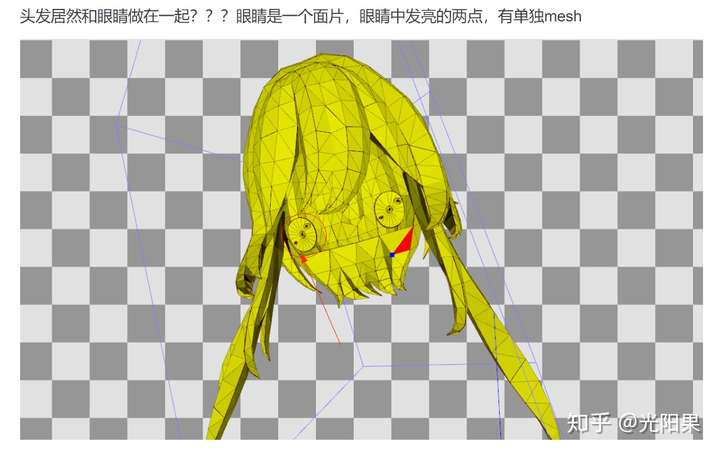
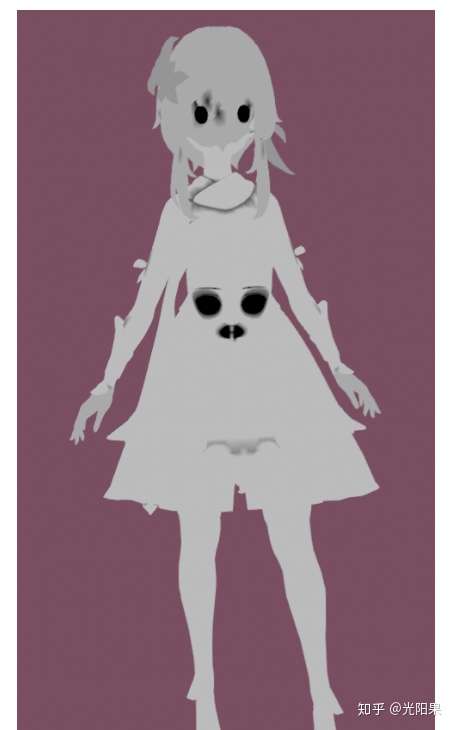
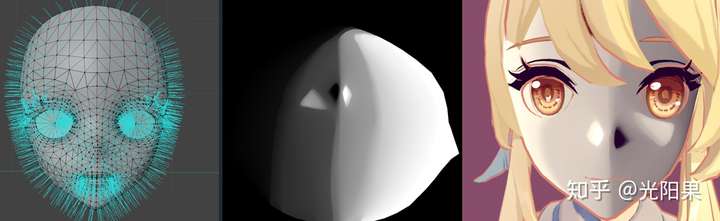
脸是分两部分 做的
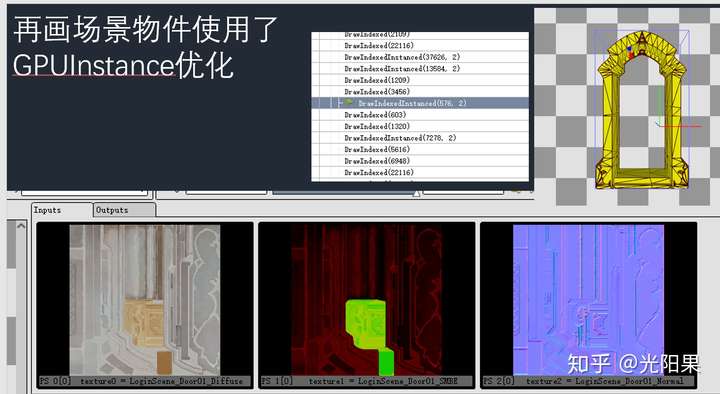
物件
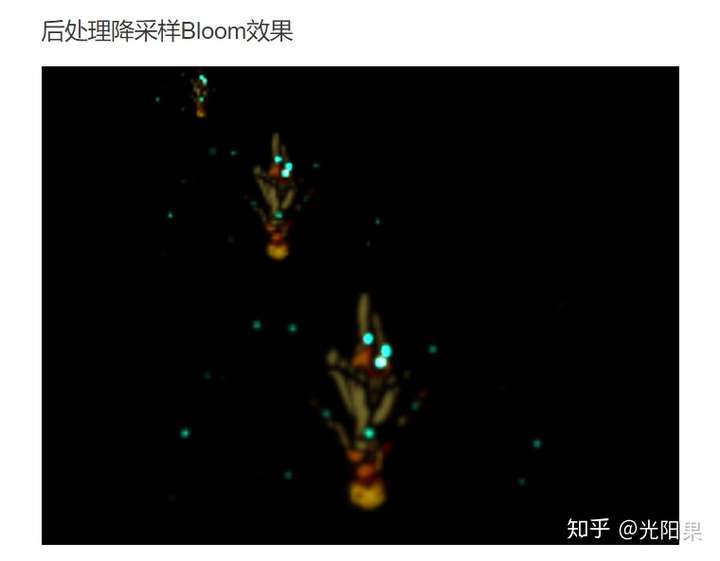
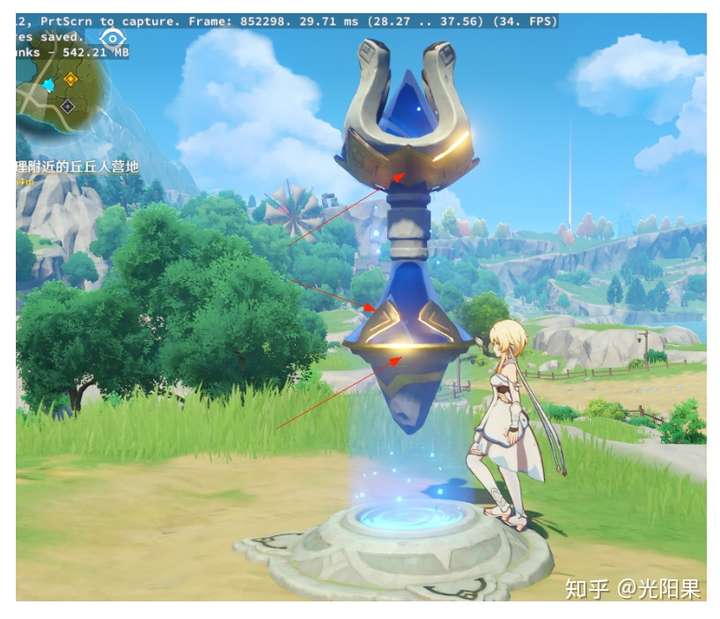
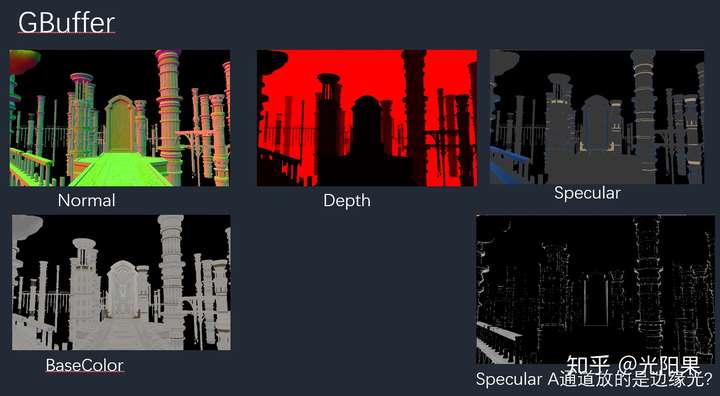
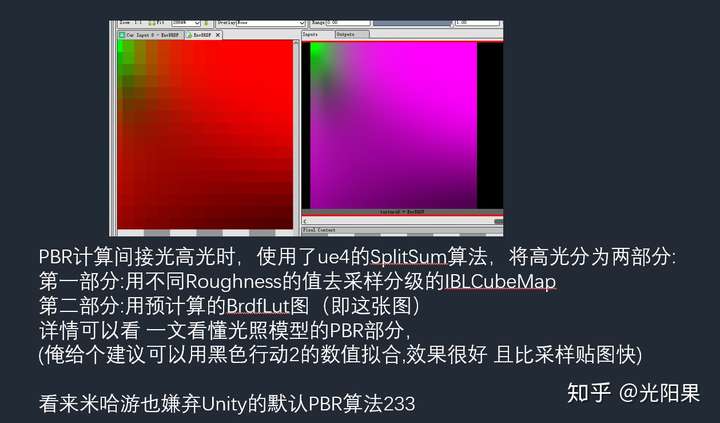
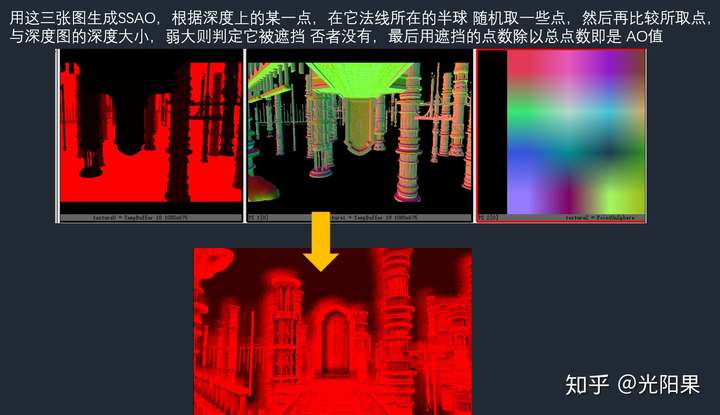
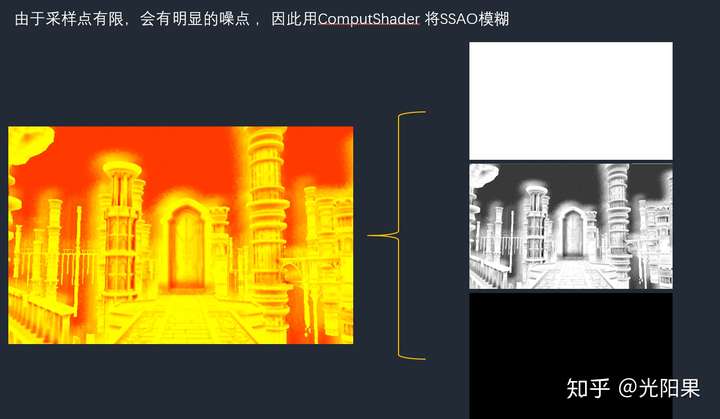
场景物件使用PBR渲染,用后处理加强了高光表现
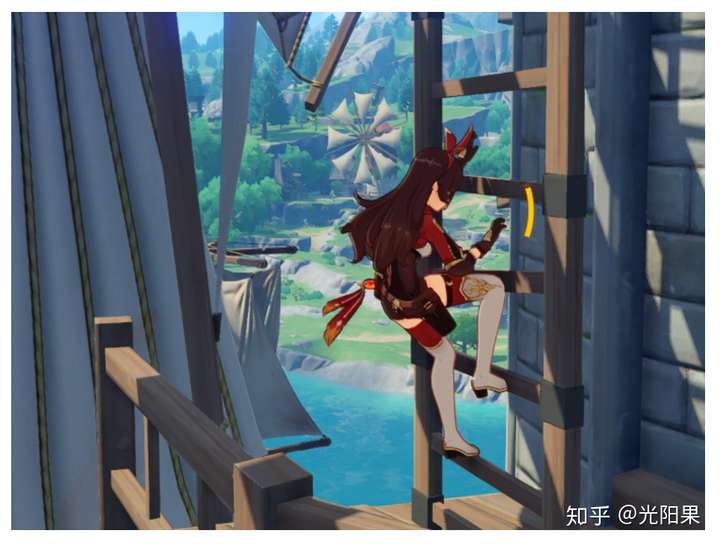
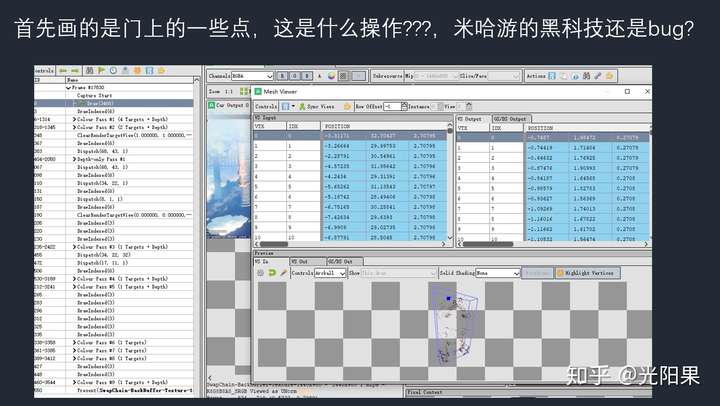
摸空气???
重构模型
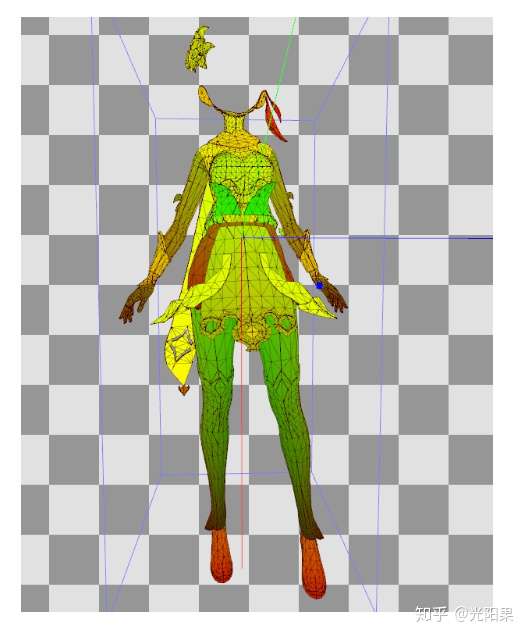
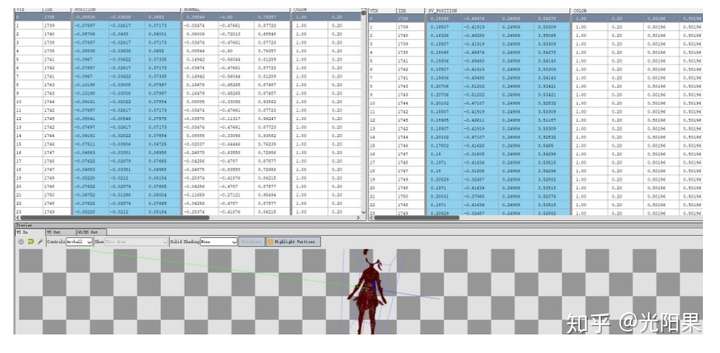
RenderDoc 有这样的模型数据:
将这些模型数据转换为Unity的Mesh数据(也可以转为Obj,但是没有2uv)
1
2
3
4
5
6
7
8
9
10
11
12
13
14
15
16
17
18
19
20
21
22
23
24
25
26
27
28
29
30
31
32
33
34
35
36
37
38
39
40
41
42
43
44
45
46
47
48
49
50
51
52
53
54
55
class MeshData { public List<int > VTX; public List<int > IDX; public List<Vector3> Position; public List<Vector3> Normal; public List<Color> VertexColor; public List<Vector2> Texcoord0; public List<Vector2> Texcoord1; public MeshData () { this .VTX = new List<int >(); this .IDX = new List<int >(); this .Position = new List<Vector3>(); this .Normal = new List<Vector3>(); this .VertexColor = new List<Color>(); this .Texcoord0 = new List<Vector2>(); this .Texcoord1 = new List<Vector2>(); } } public Material material;void Parse (string path) string[] lines = File.ReadAllLines (path); MeshData meshData = new MeshData (); for (int i = 1 ; i < lines.Length; i++) { var line = lines[i]; string[] words = line.Split (',' ); int index = 0 ; meshData.VTX.Add (int .Parse (words[index++])); meshData.IDX.Add (int .Parse (words[index++])); meshData.Position.Add (new Vector3 (float .Parse (words[index++]), float .Parse (words[index++]), float .Parse (words[index++]))); meshData.Normal.Add (new Vector3 (float .Parse (words[index++]), float .Parse (words[index++]), float .Parse (words[index++]))); meshData.VertexColor.Add (new Color (float .Parse (words[index++]), float .Parse (words[index++]), float .Parse (words[index++]), float .Parse (words[index++]))); meshData.Texcoord0.Add (new Vector2 (float .Parse (words[index++]), float .Parse (words[index++]))); meshData.Texcoord1.Add (new Vector2 (float .Parse (words[index++]), float .Parse (words[index++]))); } var go = new GameObject (path); go.transform.position = Vector3.zero; MeshFilter mf = go.AddComponent<MeshFilter>(); MeshRenderer mr = go.AddComponent<MeshRenderer>(); Mesh mesh = new Mesh (); mesh.vertices = meshData.Position.ToArray (); mesh.normals = meshData.Normal.ToArray (); mesh.uv = meshData.Texcoord0.ToArray (); mesh.uv2 = meshData.Texcoord1.ToArray (); mesh.triangles = meshData.VTX.ToArray (); mf.mesh = mesh; mr.material = material; }
仅显示UV (脸的模型位置有问题,手动放置吧)
(直接截出来的uv是颠倒的,因此在shader里反转一下,或者在转数据的时候反转一下)
https://github.com/ipud2/Unity-Basic-Shader/blob/master/Program.csgithub.com
1
2
3
4
5
6
7
8
9
10
11
12
13
14
15
16
17
18
19
20
21
22
23
24
25
26
27
28
29
30
31
32
33
34
35
36
37
38
39
40
41
42
43
44
45
46
47
48
49
50
51
52
53
54
55
56
57
58
59
60
61
62
63
64
65
66
67
68
69
70
71
72
73
74
75
76
77
78
79
80
81
82
83
84
85
86
87
88
89
90
91
92
93
94
95
96
97
98
99
100
101
102
103
104
105
106
107
108
109
110
111
112
113
114
115
116
117
118
119
120
121
122
123
124
125
126
127
128
129
130
131
132
133
134
135
136
137
138
139
140
141
142
143
144
145
146
147
148
149
150
151
152
153
154
155
156
157
158
159
160
161
162
163
164
165
166
167
168
169
//将RenderDoc导出的CSV数据转换位OBJ //直接将.csv文件 或者整个.csv文件夹 拖到 编译出的exe上 using System; using System.IO; using System.Collections.Generic; using System.Linq; using System.Text; using System.Threading.Tasks; namespace Csv2Obj { struct Vector3 { public float x, y, z; public Vector3(float x, float y,float z) { this.x = x; this.y = y; this.z = z; } } struct Vector2 { public float x, y; public Vector2(float x, float y) { this.x = x; this.y = y; } } struct Color { public float r, g,b,a; public Color(float r, float g, float b, float a) { this.r = r; this.g = g; this.b = b; this.a = a; } } class MeshData { public List<int> VTX; public List<int> IDX; public List<Vector3> Position; public List<Vector3> Normal; public List<Color> VertexColor; public List<Vector2> Texcoord0; public List<Vector2> Texcoord1; public MeshData() { this.VTX = new List<int>(); this.IDX = new List<int>(); this.Position = new List<Vector3>(); this.Normal = new List<Vector3>(); this.VertexColor = new List<Color>(); this.Texcoord0 = new List<Vector2>(); this.Texcoord1 = new List<Vector2>(); } } class Csv2Obj { public Csv2Obj(string[] args) { foreach (string arg in args) { //Console.WriteLine("Begin"); Console.WriteLine("Begin Parse:"+ arg); if(Directory.Exists(arg)) { string[] files = Directory.GetFiles(arg); ParseFolder(files); } else if(File.Exists(arg)&& arg.EndsWith(".csv")) { ParseFile(arg); } } Console.ReadKey(); } public void ParseFolder(string[] files) { foreach (var file in files) { ParseFile(file); } } public void ParseFile(string path) { Console.WriteLine("Parse: " + path); string[] lines = File.ReadAllLines(path); MeshData meshData = new MeshData(); for (int i = 1; i < lines.Length; i++) { var line = lines[i]; string[] words = line.Split(','); int index = 0; meshData.VTX.Add(int.Parse(words[index++])); meshData.IDX.Add(int.Parse(words[index++])); meshData.Position.Add(new Vector3(float.Parse(words[index++]), float.Parse(words[index++]), float.Parse(words[index++]))); meshData.Normal.Add(new Vector3(float.Parse(words[index++]), float.Parse(words[index++]), float.Parse(words[index++]))); meshData.VertexColor.Add(new Color(float.Parse(words[index++]), float.Parse(words[index++]), float.Parse(words[index++]), float.Parse(words[index++]))); meshData.Texcoord0.Add(new Vector2(float.Parse(words[index++]), 1f - float.Parse(words[index++]))); //uv颠倒了 meshData.Texcoord1.Add(new Vector2(float.Parse(words[index++]), 1f - float.Parse(words[index++])));//uv颠倒了 } string objPath = path.Replace(".csv", ".obj"); string objText = ""; if(File.Exists(objPath)) { File.Delete(objPath); } foreach (Vector3 v in meshData.Position) { objText += "v " + v.x + " " + v.y + " " + v.z + System.Environment.NewLine; } foreach (Vector2 v in meshData.Texcoord0) { objText += "vt " + v.x + " " + v.y + System.Environment.NewLine; } foreach (Vector3 v in meshData.Normal) { objText += "vn " + v.x + " " + v.y + " " + v.z + System.Environment.NewLine; } objText += "usemtl None" + System.Environment.NewLine; objText += "s off" + System.Environment.NewLine; for (int i = 0; i < meshData.VTX.Count; i+=3) { objText += "f "; int index = i; index++; objText += (index + "/" + index + "/" + index)+" "; index++; objText += (index + "/" + index + "/" + index) + " "; index++; objText += (index + "/" + index + "/" + index) + " "; objText += System.Environment.NewLine; } File.WriteAllText(objPath,objText); Console.WriteLine("Done: " + path); } } class Program { static void Main(string[] args) { new Csv2Obj(args); } } }
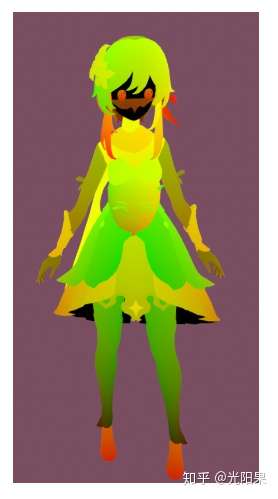
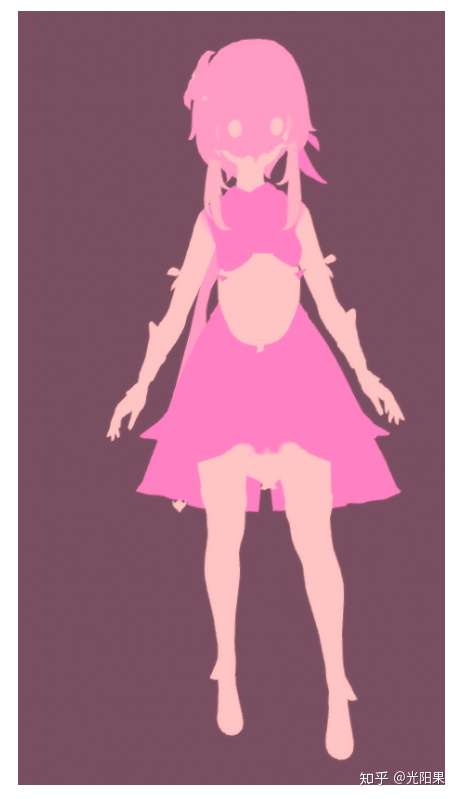
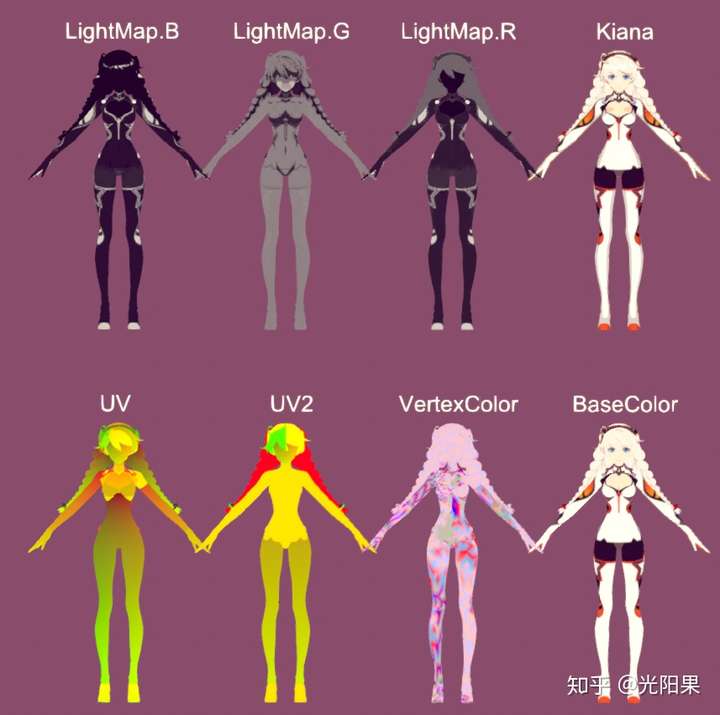
VertexColor.rgb
VertexColor.a
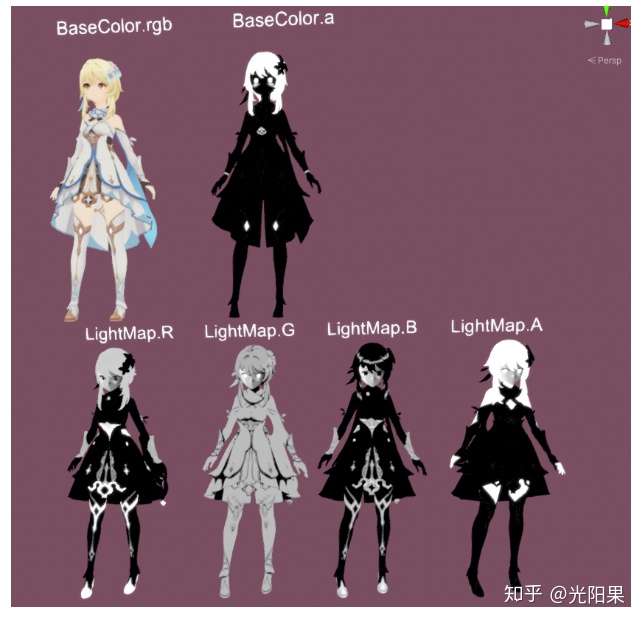
各贴图通道信息展示 (头发,身体,脸部 shader分别处理)
与崩坏3 对比
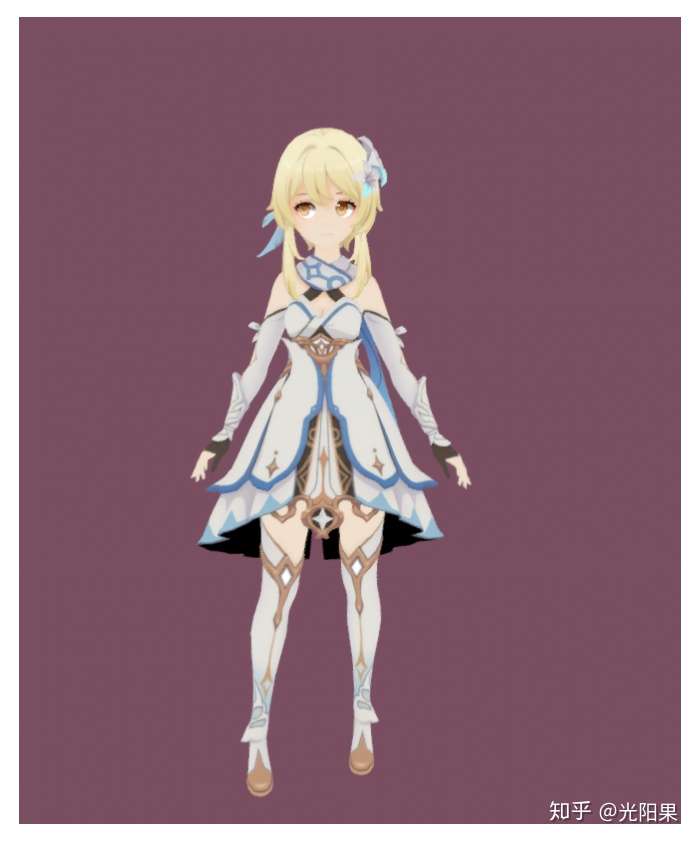
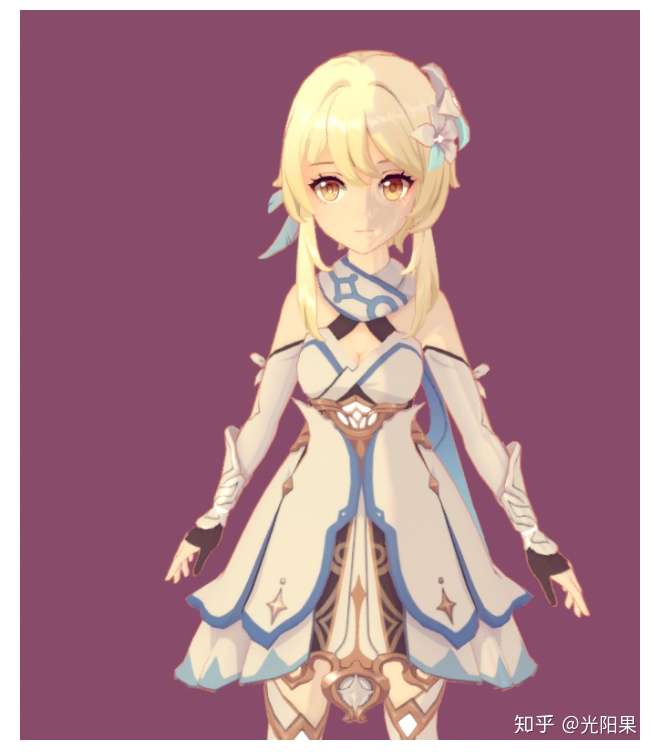
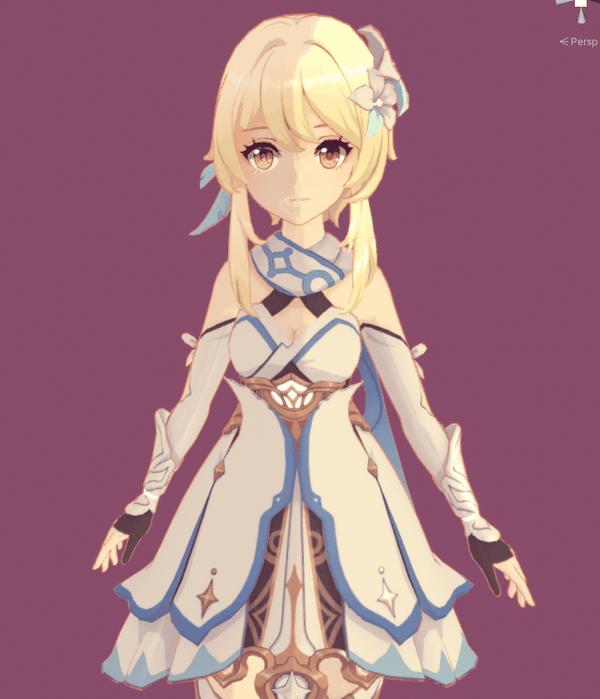
Final:
并没有100%地还原,毕竟不知道源代码。。。
做法:
1 漫反射 明暗分界用Ramp图
2 高光 BlinPhong,并使用LightMap.b 作为Mask
3 沿法线挤出模型做描边
4 BaseColor.a 为Emission(头发无自发光)
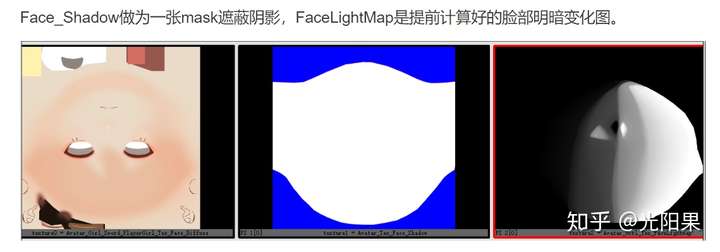
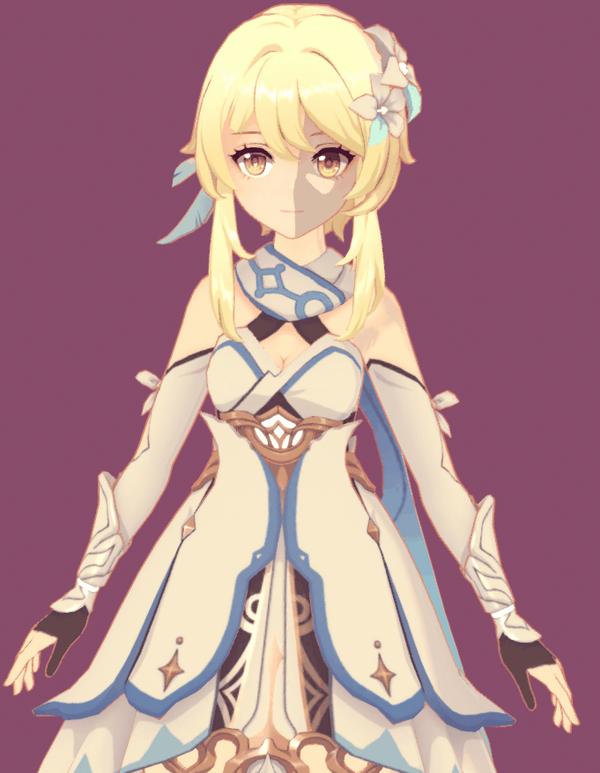
5 使用角色的Forward Up向量 与Light 计算出Mask 表现脸部的明暗变化
加入脸部LightMap后的明暗变化
1
2
3
4
5
6
7
8
9
10
11
12
13
14
15
16
float3 _Up = float3 (0 ,1 ,0 ); float3 _Front = float3 (0 ,0 ,-1 ); float3 Left = cross (_Up,_Front); float3 Right = -Left; float FL = dot (normalize (_Front.xz), normalize (L.xz));float LL = dot (normalize (Left.xz), normalize (L.xz));float RL = dot (normalize (Right.xz), normalize (L.xz));float faceLight = faceLightMap.r + _FaceLightmpOffset ; float faceLightRamp = (FL > 0 ) * min ((faceLight > LL),(1 > faceLight+RL ) ) ;float3 Diffuse = lerp ( _ShadowColor*BaseColor,BaseColor,faceLightRamp);
Shader:
https://github.com/ipud2/Unity-Basic-Shader/blob/master/YuanShen_Body.shader
https://github.com/ipud2/Unity-Basic-Shader/blob/master/YuanShen_Face.shader
https://github.com/ipud2/Unity-Basic-Shader/blob/master/YuanShen_Hair.shader
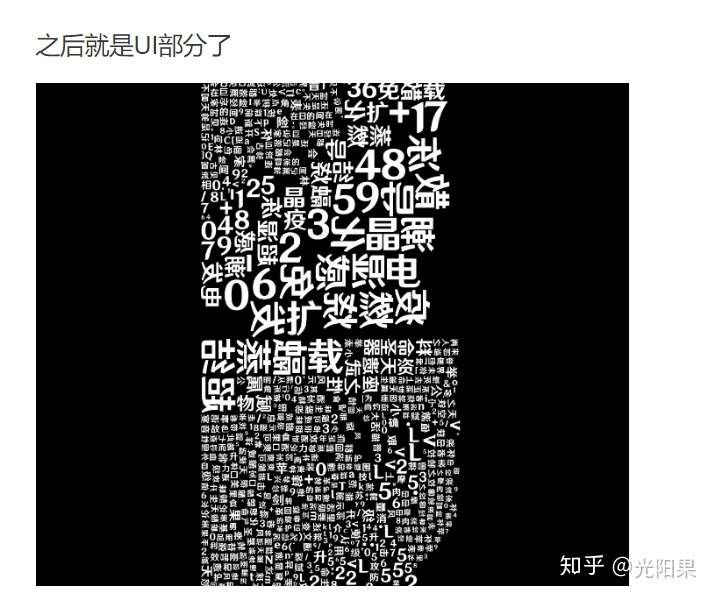
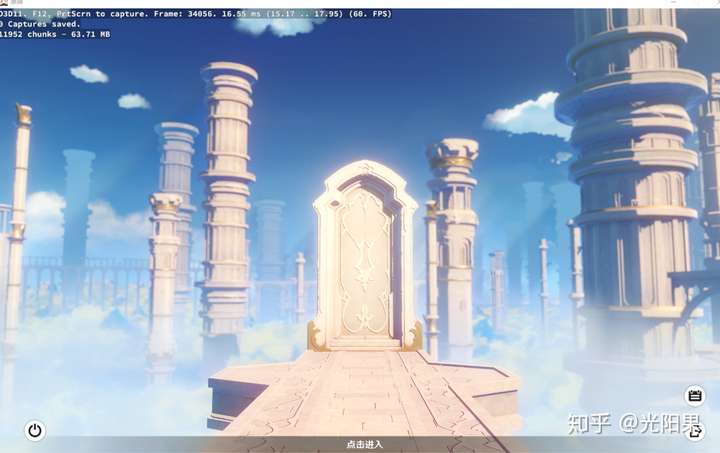
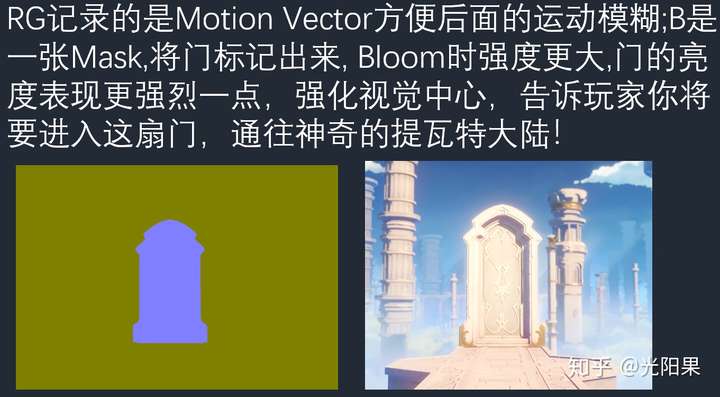
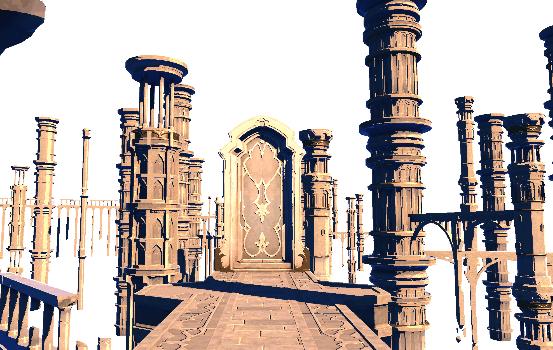
登陆界面分析
光阳果:一文看懂光照模型(持续编辑中…)zhuanlan.zhihu.com
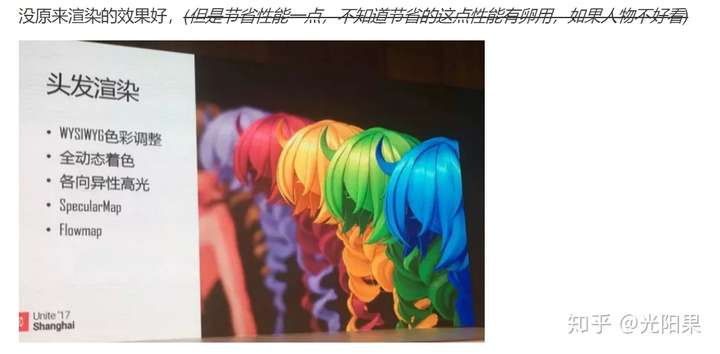
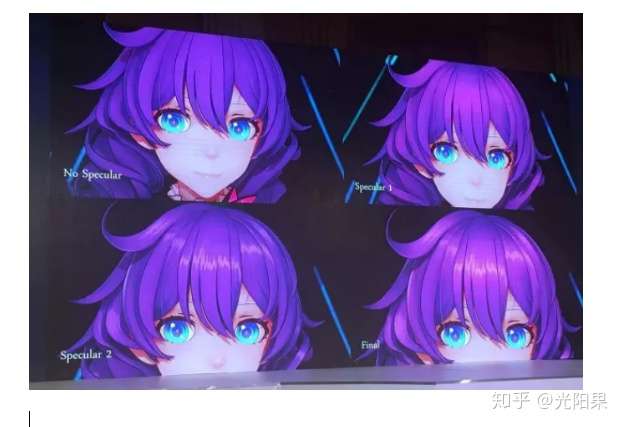
米哈游技术分享PPT
ipud2/Unity-Basic-Shadergithub.com
最后
欢迎大家加群学习交流技术美术 :
PS:有顺手的知乎编辑器啥的吗?我现在都是在有道云笔记上写完,在截图复制到知乎上来
原作者:光阳果https://zhuanlan.zhihu.com/p/272495627